August 27, 2026
Introducing Hana V2
A big update to our 2D design canvas, powered by AI agents and MCP, WebGPU rendering, real-time 3D objects and more.
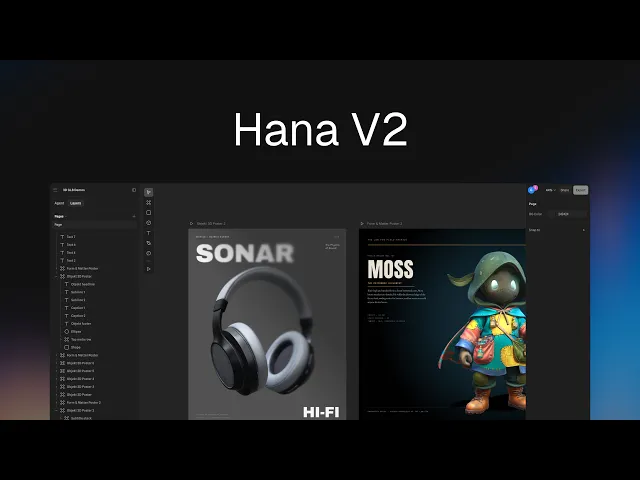
Today we're releasing Hana V2, a big update to our 2D design canvas, now powered by AI agents and MCP, WebGPU rendering, and more.
This release covers the agent and MCP support, GLTF and GLB model import, SVG and PDF export, improved real-time collaboration, the move to WebGPU, and a set of smaller editor improvements.
Spline, our 3D editor, had its own V2 release as well.
The AI agent
Hana now has its own AI agent. Prompt it for a UI design, a landing page or an app screen and it builds the result out of Hana's own objects: frames, text, vectors and fills. The output is an editable design. It can also edit existing content, so you can point it at a screen you already have and describe the changes you want.
Hana also runs an MCP server, so external AI tools can design in it directly. Claude Code, Cursor, Codex and others get the same abilities as the built-in agent: reading the scene, creating and editing objects, uploading images to use as real content, and taking screenshots to check their work.
Because those tools run alongside your code, they can also work from a repository. Point Claude Code or Cursor at a repo and it can recreate your application on the canvas as editable Hana objects, using your real screens, components and copy.
Hana AI Agent creating three variations of a mobile app design
3D on the 2D canvas
We previously added support for extruded 3D shapes, which turn any 2D shape into 3D geometry and keep a live link to the original, so editing the shape updates the geometry in real-time.
This release adds imported 3D models. GLTF and GLB files import onto the canvas as 3D objects, including meshes, materials and textures, plus skeletons, skinning and morph targets, so rigged and animated models keep their animation. An animation inspector selects a clip and controls playback and mesh settings control lighting and shading.
A 3D object is a Hana object like any other. It uses the same shape system as rectangles, text and vector networks, so it takes the same transforms, follows the same layout rules, and animates on the same animation system.
Hana designs using imported 3D objects
Faster canvas with WebGPU
Hana renders through its own engine, which draws vector shapes, booleans, blurs and shadows at full quality in real time. That engine now runs on WebGPU by default, which makes gradients, tessellation, hit-testing, culling, extrude animation and file loading faster.
Export and import
Frames now export as SVG, so vector work leaves Hana as vectors, and as PDF for print and handoff.
Adobe Illustrator files import directly onto the canvas, so existing artwork can be brought in without converting it first.
Quality of life improvements
Interactive designs made with Hana
The new desktop app
The desktop app has been rebuilt and replaces the previous version in place, on macOS and Windows.
Files open as tabs, so several projects can stay open at once, and a Spline scene can sit in the same tab strip on the same login. The app also reads the fonts installed on your machine and lists them in the font picker alongside Google Fonts.
It is also how external agents connect. Launch it alongside your AI tool (Claude Code, Claude Desktop, ChatGPT, Cursor, VS Code, Antigravity) and Spline registers with it automatically, with nothing to configure. A per-tab indicator shows when an agent is working on a file.
Adding app screens from a project repo into the Hana canvas via MCP
Available today
Hana V2 brings the AI agent and MCP server, GLTF and GLB model import, SVG and PDF export, improved real-time collaborator cursors, WebGPU rendering, and the editor improvements above.
Spline, our 3D editor, had its own V2 release as well.
Download the desktop app, or open Hana in your browser.
The Spline Team 🌸